Uninstalling Postgres
Note
- Make sure you have permission to uninstall programs from your computer. Contact your IT administrator if you do not have permissions.
- In case your anti- virus is preventing you from uninstalling it. Stop or pause your anti- virus.
-
Steps:
-
Stop\Delete "veda-db" service:
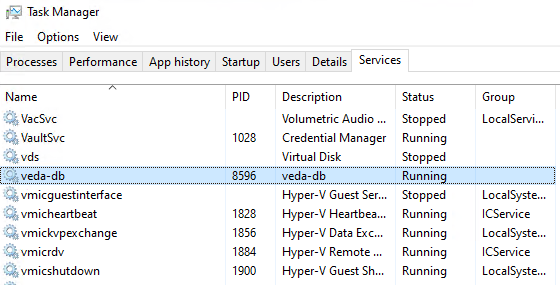
- Open Task manager
-
Look for a service called "veda-db".
-
Delete "veda-db" service:
-
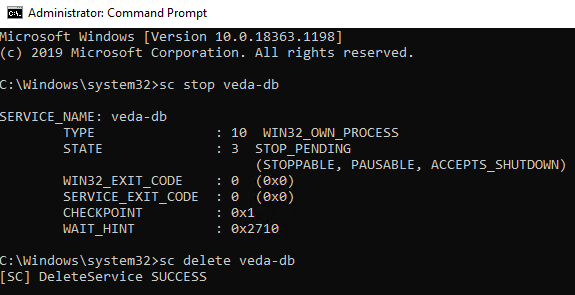
Open command prompt as an administrator

-
Run the following commands:
- SC STOP veda-db (skip if the service is already stopped)
-
SC DELETE veda-db
-
-
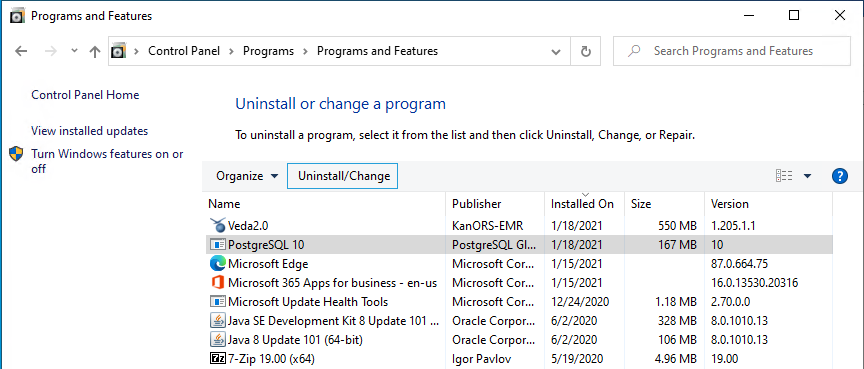
After getting success message, you can go ahead and uninstall Postgres:
-
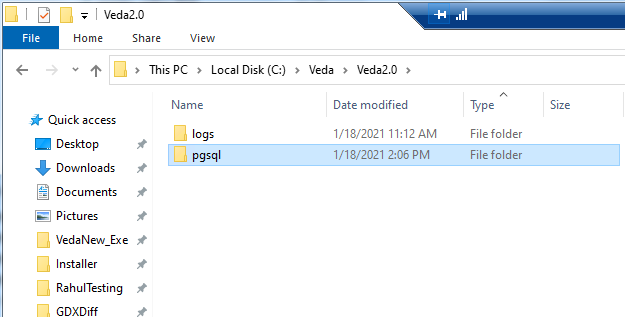
If the pgsql folder in Veda2.0 directory is empty then it is safe to delete it.
-
It is safe to delete the Veda2.0 directory as well, if it does not contain any user's model folders.
-
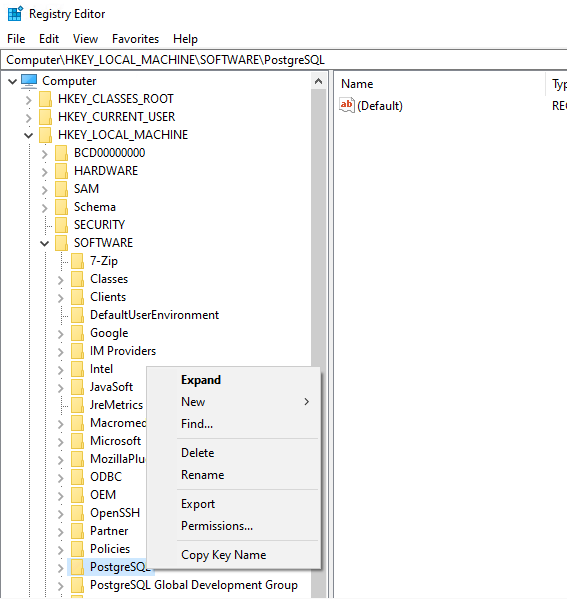
Delete Postgres from Registry:
-
Open Registry editor as an administrator

-
From the list, right-click and delete the following folders:
-
PostgreSQL
-
PostgreSQL Global Development Group
-
-
-