Excel Exceptions
Error loading type library/DLL. (Exception from HRESULT: 0x80029C4A)
Issue: Unable to cast COM object of type 'Microsoft.Office.Interop.Excel.ApplicationClass' to interface type 'Microsoft.Office.Interop.Excel._Application'. This operation failed because the Query Interface call on the COM component for the interface with IID '{000208D5-0000-0000-C000-000000000046}' failed due to the following error: Error loading type library/DLL. (Exception from HRESULT: 0x80029C4A (TYPE_E_CANTLOADLIBRARY)).
Solution 1: "Repair" Office Installation from the Add/Remove programs in Control Panel
- Right Click on Start Menu
- Click Apps and Features
- Search Microsoft Office (either Office 2007, Office 2010, Office 2013, Office 2016 or Office 365 and so on...)
- Click Microsoft Office
-
Click Modify
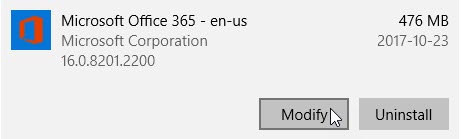
-
Click Repair
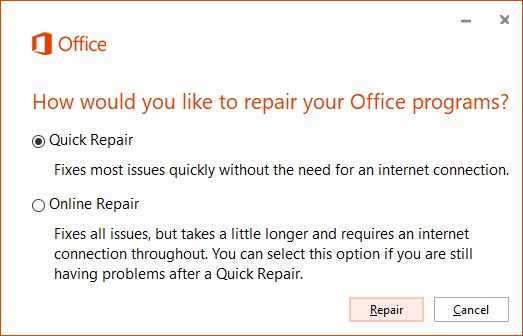
Solution 2: "Uninstall" Office Automatically
Note
Do this only if the Solution 1 fails
- Download the automated tool.
- Run the SetupProd_OffScrub.exe file.
- Select the version you want to uninstall, and then select Next.
- Follow through the remaining screens and when prompted, restart your computer.
- After you restart your computer, the uninstall tool automatically re-opens to complete the final step of the uninstall process. Follow the remaining prompts.
- If you need to reinstall Office, select the version you want to install and follow those steps: Microsoft 365, Office 2019, Office 2016, Office 2013, Office 2010, or Office 2007.
The remote procedure call failed. (Exception from HRESULT: 0x800706BE)
Issue: Error in Syncing the model. The remote procedure call failed. (Exception from HRESULT: 0x800706BE).
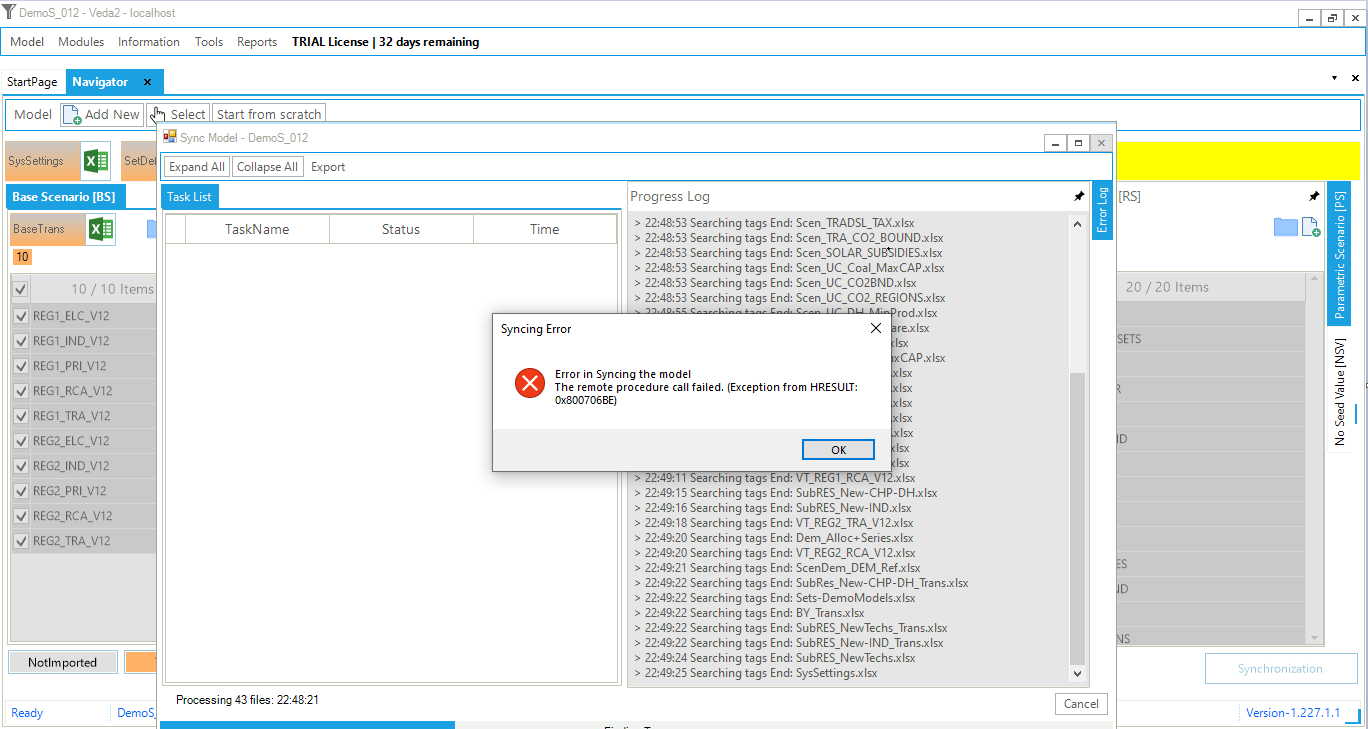
Reason: The problem was caused by third-party Excel COM plug-ins.
Solution: How to disable the plugin: Excel > File > Options > Add-ins > Manage, then choose "COM add-ins" > Go. And then uncheck the problematic plugin.
Element not found. (Exception from HRESULT: 0x8002802B)
Issue: Unable to cast COM object of type 'Microsoft.Office.Interop.Excel.ApplicationClass' to interface type 'Microsoft.Office.Interop.Excel._Application'. This operation failed because the QueryInterface call on the COM component for the interface with IID '{000208D5-0000-0000-C000-000000000046}' failed due to the following error: Element not found. (Exception from HRESULT: 0x8002802B (TYPE_E_ELEMENTNOTFOUND)).
Solution: "Repair" Office Installation from the Add/Remove programs in Control Panel
Note
Follow the steps of Solution 1